
Should I Buy a ‘Smart’ Appliance?
What do you think of smart features in white goods appliances? Genuinely useful, or just a gimmick? Do they benefit the manufacturers more than customers?
Buying advice compiled by Whitegoods Help. Support periods, prices and survey figures are identified with their source and date, and manufacturers can change their policies, so confirm the details for the exact model before buying.
01Should you buy a smart appliance?
For most households the honest answer is: only if it costs little or nothing extra, or if one particular feature solves a real problem. A washing machine still needs loading and emptying by hand, so an app can only ever add convenience around the edges.
The more useful question is how much weight to give smart features when choosing between models. Build quality, reliability and the guarantee should come first, with connectivity treated as a bonus that may not last as long as the appliance.
This guide covers the buying decision. For how connected appliances are secured, and what to do with one you already own, see the Whitegoods Help guide to smart appliances in the UK.
02What does “smart” actually mean on white goods?
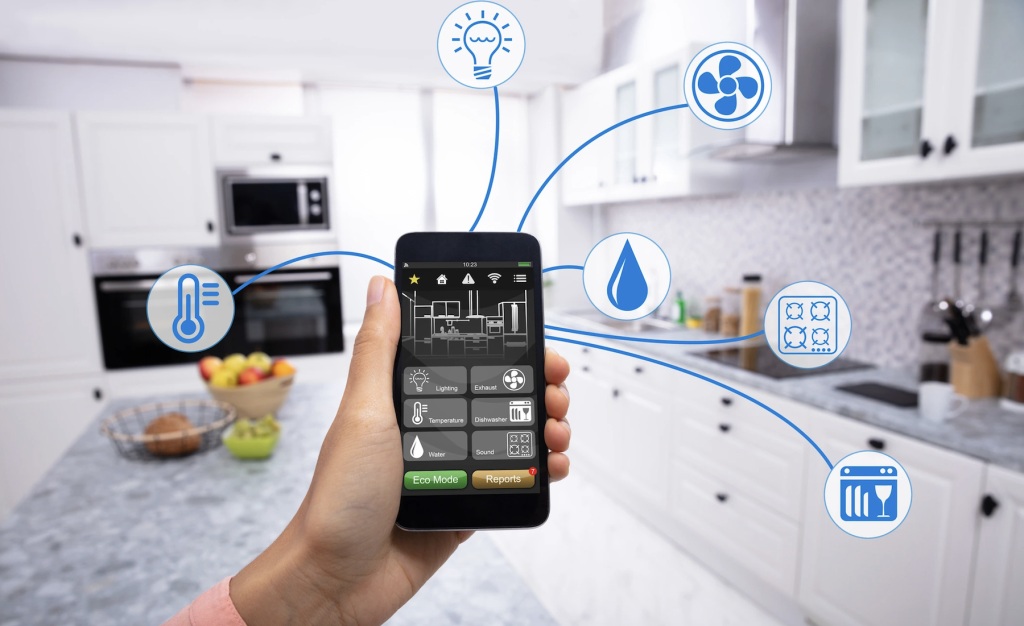
A smart appliance has a Wi-Fi module that links it to the manufacturer’s servers and to an app on your phone. The app can then show what the appliance is doing, change settings and, within limits, start and stop it.
- Starting, pausing and monitoring a cycle from a phone or by voice assistant
- Notifications when a cycle finishes or something needs attention
- Scheduling a cycle for a set time or a cheaper electricity period
- Energy and water use reports
- Extra programmes that can be downloaded to the appliance
- Fault alerts and, on some brands, remote diagnosis by the manufacturer
For safety, remote start normally has to be switched on at the appliance after it has been loaded and closed. On Bosch, Siemens and Neff Home Connect appliances, opening the door again cancels it, and ovens generally need the remote start button pressed every time. Nothing can load the machine for you.
03Which smart features are useful, and which are gimmicks?
Smart features vary enormously in practical value. The table below gives the Whitegoods Help view of the features most often used to sell connected appliances.
| Feature | Verdict | Why |
|---|---|---|
| Cycle finished notifications | Useful | Handy when the appliance is out of earshot, and stops wet washing sitting in the drum |
| Off-peak and tariff scheduling | Useful on the right tariff | Can cut running costs on a time-of-use tariff, although a basic delay timer does much the same job for free |
| Remote start from outside the home | Limited | The appliance must be loaded and armed first, and fire services advise against running machines while nobody is home |
| Remote diagnostics | Sometimes useful | Can avoid a wasted visit for a simple fault, but it is only offered on selected appliances and ties the diagnosis to the manufacturer’s own service |
| Energy and water reports | Mildly useful | Interesting at first, rarely changes how the appliance is used after the first few weeks |
| Downloadable programmes | Occasionally useful | Most households settle on two or three programmes that are already on the dial |
| Voice control | Mostly a gimmick | You are standing at the appliance to load it anyway |
| Fridge touchscreens and internal cameras | Mostly a gimmick | Adds cost and electronics to an appliance that should last well over a decade, and the screen’s software can change after purchase |
The last point is not theoretical. In autumn 2025 Samsung began a pilot in the United States that added advertisements to the idle screen of some Family Hub fridges through a software update, with an option to switch them off. The pilot was limited to the United States, but it shows how a connected appliance can change after it has been bought.
04Is a smart version worth it for each type of appliance?
The value of connectivity depends heavily on the appliance. It makes most sense where a cycle can be shifted to a cheaper time, and least where the appliance simply runs all day.
| Appliance | Most useful smart features | Whitegoods Help view |
|---|---|---|
| Washing machine | Finish alerts, tariff scheduling, control of automatic detergent dosing | The strongest case, but only on a brand with long software support |
| Tumble dryer | Finish alerts and, on some models, a programme matched to the washing machine’s last cycle | Minor convenience. A dryer should not be run while the house is empty or everyone is asleep |
| Dishwasher | Tariff scheduling, finish alerts | A delay timer achieves most of the benefit. Do not pay extra for the app alone |
| Fridge freezer | Door open and temperature alerts, where offered | Alerts are worthwhile, screens and cameras are not. Support length matters most here because fridges are kept for so long |
| Oven | Preheating before arriving home, cooking progress alerts | Pleasant but limited by safety locks. Cooking performance and cleaning features matter far more |
Whatever the appliance, choose on quality first. See 5 tips for buying a new appliance and whether a more expensive washing machine is a better one.
05How long will the smart features last?
This is the question that should decide most purchases. The mechanical parts of a good appliance can last well over ten years, but the app and the security updates behind it last only as long as the manufacturer chooses to support them.
Since 29 April 2024, UK product security law has required manufacturers of connected products to publish the minimum period for which they will provide security updates. The law requires the period to be published, but it does not set a minimum length.
The table below shows the support periods for smart washing machines reported by the consumer group Which? in November 2026, whose full reviews require a subscription. The Beko figure is confirmed by Beko’s own published statement of compliance for a current model, and periods can differ for other appliance types from the same brand.
| Brand | Published security update support | Counted from |
|---|---|---|
| Miele | About 10 years | The date the model is discontinued |
| Bosch, Siemens, Neff | Until at least February 2034 | A fixed end date for Home Connect appliances |
| Samsung | At least 7 years | The model’s launch, for models from 2024 onwards |
| AEG, Electrolux | At least 5 years | The date the model was last sold |
| LG | At least 5 years | The model’s launch |
| Beko | Until at least 31 December 2028 | A fixed end date |
| Hoover, Candy, Haier | At least 2 years | The date of purchase |
| Hisense | About 2 years, varying by model | The date of purchase |
Five years from launch is not five years from the day you buy. A model that has already been on sale for three years has only two years of promised support left. A fixed end date works the same way, so the later you buy, the less you get.
When support ends, the appliance carries on washing, cooling or cooking as normal. What can be lost is the app, the connected features and the security updates. What happens next is covered in the smart appliances guide.
Choosing a new appliance?
Start with reliability and build quality, then decide whether smart features are worth having. The Whitegoods Help buying guides cover what to look for and which brands last.
06Do smart appliances cost more to buy and run?
A true like-for-like premium is hard to pin down, because connectivity is usually bundled with a higher specification. Which? reported in November 2026 that Bosch smart washing machines typically cost £600 to £800, roughly double a basic model, but much of that difference pays for other features.
The fair comparison is between the smart model and a non-smart machine of the same build quality. If the only difference is the app, any extra cost should be small.
Do smart features save energy?
Only if they change when or how the appliance runs. Some suppliers offer cheaper electricity at set times, and British Gas has run half-price weekend windows that Samsung’s SmartThings app can schedule appliances to use.
Samsung also says its AI Energy Mode can reduce an appliance’s energy use by up to 20%, a manufacturer’s claim that depends on the model and settings. The Wi-Fi module uses a little power itself: one Siemens manual gives up to 2 watts in networked standby, which would be about 17.5 kWh a year if drawn continuously.
Fire and rescue services advise against running washing machines, tumble dryers and dishwashers while everyone is asleep or out. If you schedule a cycle for a cheaper period, time it to finish while someone is awake and at home. See is it safe to leave a washing machine on and appliance running costs.
07Who benefits most, the customer or the manufacturer?
Both can benefit, but the manufacturer always does. A connected appliance reports how it is used, gives the brand a direct line to the owner, and creates opportunities to sell consumables, accessories and services.
Owners are noticeably less keen. LG told the Wall Street Journal in January 2023 that fewer than half of the smart appliances it had sold stayed connected to the internet, even though 80 to 90% of the appliances it sold had smart capability. Those are historic, largely American figures, but they suggest many buyers pay for features they never use.
What data does a smart appliance collect?
Typically an account with your name and email address, how and when the appliance is used, and whatever permissions the phone app is granted. A Which? investigation in September 2023 found appliance apps asking for more than they needed, including a date of birth and precise location for a washing machine app. Those findings are historic and app requirements may have changed.
The Information Commissioner’s Office published final guidance for smart product makers on 11 June 2026, saying they should collect only the data a product needs and be open about how it is used. Its survey of 2,080 UK adults in May 2026 found that 42% were concerned about their data when buying smart devices and 15% avoided them for that reason.
08Are smart appliances harder to repair?
The parts that wash, heat and cool are the same as on any other appliance, so most repairs are no different. The connectivity adds a Wi-Fi module and more software, which is one more thing that can go wrong, although a failed module should not stop the appliance working from its own controls.
The bigger concern is who can use the diagnostic information. Where fault data is only readable through the manufacturer’s own app or service department, a local engineer has less to work with. That issue is examined in LG Smart Diagnosis and the right to repair white goods.
09What should you check before buying a smart appliance?
Work through these checks in the shop or on the retailer’s website. Each one takes a minute or two and together they prevent most of the common regrets.
- Name the feature you will use. If you cannot name one connected feature you would use every week, treat the appliance as a non-smart model and judge it on everything else.
- Find the published security update period. Manufacturers must publish it, usually in a statement of compliance on the product or support page. If it cannot be found, ask the retailer before buying.
- Check what the period is counted from. Note whether it runs from purchase, from launch, or to a fixed date, then work out how many years you would actually get.
- Confirm it works fully without the app. Every programme and setting you need should be available from the control panel. Avoid any appliance that needs an account or a connection for basic functions.
- Check the Wi-Fi where it will stand. Garages, utility rooms and built-in housings often have a weak signal. Many appliances also connect only to 2.4GHz Wi-Fi, so check the manual.
- Look at what the app asks for. Read the app store listing for the permissions and account details it requires, and decide whether you are comfortable with them.
- Compare with a non-smart machine of equal quality. Put build quality, reliability and guarantee length first. See how long a washing machine should last.
- Register the appliance after buying. Registration means safety recall notices reach you whether or not you ever connect it. See should you register the guarantee.
Some newer appliances also support Matter, a cross-brand smart home standard that has covered fridges, dishwashers and laundry appliances since version 1.2 in October 2023. It is designed to let an appliance work with more than one smart home system.
10Who should buy a smart appliance, and who should not?
A smart appliance suits you if
- You are on a time-of-use tariff and will schedule cycles
- The appliance is out of sight and earshot
- You already use a smart home system
- The brand publishes long software support
- The model you want includes it at no real extra cost
Give it a miss if
- You would pay noticeably more for the app alone
- Support is promised for only two or three years
- Basic functions need an account or a connection
- The Wi-Fi signal is poor where it will stand
- You are uncomfortable with the data the app requires
What if the appliance you want is smart, but you do not want the features?
Buy it and do not connect it. A smart appliance that has never been joined to Wi-Fi behaves like any other, and it can be connected later if a feature becomes useful.
If you already own a connected appliance and want to tighten its settings or disconnect it, the smart appliances guide explains how. Your rights if advertised features are withdrawn are covered under consumer rights for appliances.
Need help with an appliance you already own?
Whether it is smart or not, Whitegoods Help can point you to a local engineer, the right spare part, or other owners who have had the same problem.
11Safety notice
A smart appliance is still a mains-powered appliance. Never use remote start or scheduling to run a washing machine, tumble dryer, dishwasher or oven while the home is empty or everyone is asleep, and never leave anything on or in a cooker that could catch fire if it were started remotely.
Have new appliances installed by a competent person and plugged into their own wall socket. Any gas appliance must be installed and repaired by a Gas Safe registered engineer. If a connected appliance behaves unexpectedly, switch it off at the wall and do not use it until it has been checked by a qualified engineer.
Register every new appliance so that safety recall notices reach you, and see the Whitegoods Help appliance safety section for current notices.
12Frequently asked questions
Are smart appliances worth the extra money?
Only if you will use a specific connected feature regularly, such as off-peak scheduling on a time-of-use tariff or finish alerts for an appliance you cannot hear. If the smart model costs noticeably more than a machine of the same build quality, the money is usually better spent on a more reliable brand or a longer guarantee.
Do smart appliances work without Wi-Fi?
They should. A well-designed smart appliance runs every normal programme from its own control panel whether or not it has ever been connected. Before buying, confirm that no basic function needs the app, an account or an internet connection.
How long do manufacturers support smart appliances?
It varies from about 2 years to about 10. Figures reported by Which? in November 2026 for smart washing machines range from at least 2 years from purchase for Hoover, Candy and Haier to about 10 years for Miele, with Bosch, Siemens and Neff committed until at least February 2034. Always check the period published for the exact model.
What happens to a smart appliance when software support ends?
The appliance keeps working as a normal appliance. What may be lost is the app, the connected features and security updates, so it is then worth considering disconnecting it from Wi-Fi. More detail is in the smart appliances guide.
Do smart appliances save energy?
Not by themselves. Savings come from running cycles at cheaper times on a time-of-use tariff or from energy-saving modes, and a basic delay timer can do much of the same job. Fire and rescue services advise against running appliances while everyone is asleep or out, so schedule cycles to finish while someone is home.
Can I buy a smart appliance and not use the smart features?
Yes. If it is never connected to Wi-Fi it behaves like any other appliance and no usage data leaves the house. You should still register it with the manufacturer so that safety recall notices reach you.
Still deciding?
Here’s where to go next.
0 Comments